Showroom
Explore the full Kwizmo lineup — built to showcase what's possible, live.
Don't see exactly what you need? Contact us →
Kwizmo is a secure, adaptable AI platform that enables organizations to provide intelligent, natural-language access to their internal knowledge, documents, and data. It uses advanced language models…
Kwizmo is a secure, adaptable AI platform that enables organizations to provide intelligent, natural-language access to their internal knowledge, documents, and data. It uses advanced language models to let users ask complex questions and receive instant, context-aware answers drawn from company documents and connected sources. Kwizmo integrates into existing applications and communication channels, enabling both visible chatbots on websites and invisible backend bots that power application workflows. More on https://www.kwizmo.eu
Available for installation on the client's infrastructure
Ask about white-label licensing →Every chatbot now has an analytics page of its own, in the Statistics
tab. Choose a bot and a period, press Analiza in napoved, and you get
what has happened and what is likely to happen next.
What happened. Questions, people, conversations and cost, each set
against the same length of time before it, so every number has something
to be compared with. A heatmap shows the busy hours of the week. Further
charts show how many people were new, how long conversations run, and how
people rated the answers they got.
What is likely next. Volume and cost are projected forward as a range,
not a single number. Eight forecasting methods compete against your own
history, and the page says plainly when none of them beats a simple guess
— because a tool that always draws a confident trend line will draw one
through pure noise.
What to do about it. Four cards point at work worth doing: the
questions people keep asking, the ones that came back with no answer, the
answers somebody marked as wrong, and the regulars who have gone quiet.
Save as PDF. One button turns the whole report into a PDF — charts,
tables and all — named for the chatbot and the period. Every figure on
screen carries a small "?" explaining what it counts; in the PDF those
explanations are gathered at the end, so a printed report explains itself
to whoever you hand it to.
Questions and answers stay readable only to administrators of that
chatbot, and are decoded and stripped of anything active before they are
shown.
Released: 2026-09-07
Since 2 August 2026, Article 50 of the EU AI Act requires that people are told
when they are talking to an AI, and that AI-generated content is marked so
machines can detect it. Under 50(1) and 50(2) those duties sit with the
provider of the AI system — with Kwizmo, not with you.
Each answer carries a provenance record, created and signed on our server with
HMAC-SHA256. It travels in the response headers, in the response body, in the
page as schema.org JSON-LD with an IPTC DigitalSourceType, and in the document
properties of exported PDFs. None of it appears in the answer text.
Copy an answer into Word, an e-mail or a ticket and a short notice comes with
it, pointing back to the record. Export to PDF and the reference is printed at
the bottom. A marking that dies on copy-paste protects nobody.
Every record has a public verification address. Open it and you see whether the
signature is valid, which model produced the answer and when. That page is
always in English, so a partner or an auditor can read it without translation.
The record holds no question, no answer and no personal data — only metadata and
hashes. Records are kept for 90 days.
The notice that answers come from artificial intelligence now sits in the chat
footer, beside a link that checks the marking of the current answer. Available
in Slovenian, English, Croatian, Serbian, Bosnian, Czech, Hungarian, Polish and
Albanian.
Kwizmo now produces evidence it can show, rather than a claim to be taken on
trust. Article 50 has no certificate, so this is not a compliance stamp — but
the technical measure it asks for is in place, and your deployment inherits it.
Your organization's knowledge, searchable and answerable — without leaving your building. What is Kwizmo Local? Kwizmo Local is a self-hosted knowledge base platform that turns your documents…
Kwizmo Local is a self-hosted knowledge base platform that turns your documents, images, audio recordings, and websites into a private, ask-anything search engine. Upload a file, crawl a site, or drop in a recording — Kwizmo Local reads it, understands it, and makes it instantly searchable in plain language.
No cloud upload. No third-party data sharing. Everything runs on your own infrastructure, under your own control.
Your organization's knowledge is scattered — PDFs in shared drives, scanned invoices in a folder, meeting recordings nobody has time to relisten to, policy documents buried three clicks deep. Finding the right answer means digging through files, or worse, asking someone who might not remember either.
Kwizmo Local puts all of it in one place, and lets you simply ask.
| Content type | How it's handled |
|---|---|
| Documents | PDF, Word (.docx and legacy .doc), Markdown, plain text, CSV/TSV, source code |
| Images | Scanned documents, photographed invoices, forms, screenshots — text is extracted automatically (OCR), including tables kept intact as one readable block |
| Audio | Meetings, interviews, voice memos — transcribed offline in over 100 languages, with every result linked back to the exact timestamp it was said |
| Websites | Point it at a page or an entire site; linked documents are picked up automatically, and content can refresh itself on a schedule |
Type a question in plain language and get a direct, written answer — generated from your own content, not the open internet. Every answer is grounded in what you've actually uploaded, so it reflects your organization's real documents, not a generic guess.
Everything — document parsing, OCR, audio transcription, search, and embedding — runs locally by default. Nothing is sent externally unless you explicitly choose to connect an AI provider for answer generation, and that choice is entirely yours to make or leave off. For organizations handling sensitive, regulated, or confidential material, that's not a footnote — it's the whole point.
- Multi-user access with per-domain permissions — control exactly who can see what
- Concurrent logins — your whole team works at once, not one login at a time
- Full audit trail — every search, upload, and change is logged
- Organized by domain — group content however makes sense: by department, project, or client
- Internal knowledge bases and policy libraries
- Technical and product documentation search
- Legal, compliance, and regulated-data environments
- Customer support teams needing instant, accurate answers
- Any organization that wants AI-powered search without sending its data to the cloud
Kwizmo Local deploys as a self-contained Docker application — on your own server, with or without a GPU. No ongoing cloud subscription, no per-query fees to a third party, no dependency on an external service staying online.
Kwizmo Local™ — On-premise RAG platform · kwizmo.eu
More on https://www.kwizmo.eu/webpages/kwizmo_local/
Available for installation on the client's infrastructure
Ask about white-label licensing →Kwizmo Local now works with any OpenAI-compatible AI model, in addition to OpenAI and Anthropic. Pick the option that fits your data policy:
- Fully local: run a model inside your own network (vLLM, Ollama, LM Studio). Nothing leaves your premises.
- EU-hosted: use a European provider under your own data-processing agreement.
- Cloud: keep using OpenAI or Anthropic exactly as before.
Your documents, search index and entity extraction always stay on your own servers. Only the final answer-writing step uses an AI model, and it receives your question and a few matched passages, never your whole library.
Custom AI servers are off by default. An administrator lists the approved addresses once (LLM_ALLOWED_BASE_URLS), and any other address is refused, so users cannot point the server at unapproved destinations. The audit log records which server each answer came from, never the API key.
- The web dashboard has a new OpenAI-compatible provider option with a base URL field.
- Existing OpenAI and Anthropic setups need no changes.
- The API Developer Manual and User Manual cover setup, Docker networking and timeouts.
Kwizmo Local now automatically identifies **people, organizations, dates, and
locations** as it indexes your documents — no manual tagging needed. Every uploaded
file, scanned image, crawled page, and transcribed recording is scanned for entities
on ingestion. Results are stored per chunk (filter search by entity) and in a
dedicated lookup table for whole-domain questions like *"which people appear in these
documents?" or "which files mention this client?"*.
For documents indexed before this feature existed, a head administrator can run a
one-time entity backfill from the dashboard — it re-reads already-stored text to
extract entities without re-uploading or re-embedding anything.
Audio recordings (MP3, WAV, M4A, FLAC, OGG) are transcribed and indexed entirely
offline, with each chunk linked back to the exact point it was said. This release
tunes transcription to catch quieter speech previously at risk of being skipped,
raises the default model size and decoding quality, and makes these settings
independently adjustable by an administrator.
Search results from audio recordings now correctly show their source file; dropping
an audio file into the document upload box now redirects it correctly instead of
showing a generic error; scanned documents/photos containing tables (invoices, forms)
now keep rows and columns together for much better answers; and a startup crash
caused by an upstream library regression is fixed by pinning dependencies to
known-good versions.
An AI-powered support agent for AJPES (Agency of the Republic of Slovenia for Public Legal Records and…
An AI-powered support agent for AJPES (Agency of the Republic of Slovenia for Public Legal Records and Related Services), designed to provide fast, reliable assistance to citizens and businesses. It understands users’ questions in natural language, finds relevant information from AJPES knowledge sources, and guides users through procedures, services, and common questions.
The agent reduces the workload of human support teams while providing users with 24/7, immediate and consistent assistance.
- The icon used to open the chatbot can now be dragged anywhere on the screen, so you can place it wherever it's most convenient and out of the way of other page content.
- The icon can also be closed, letting you hide the chatbot entry point entirely when you don't need it.
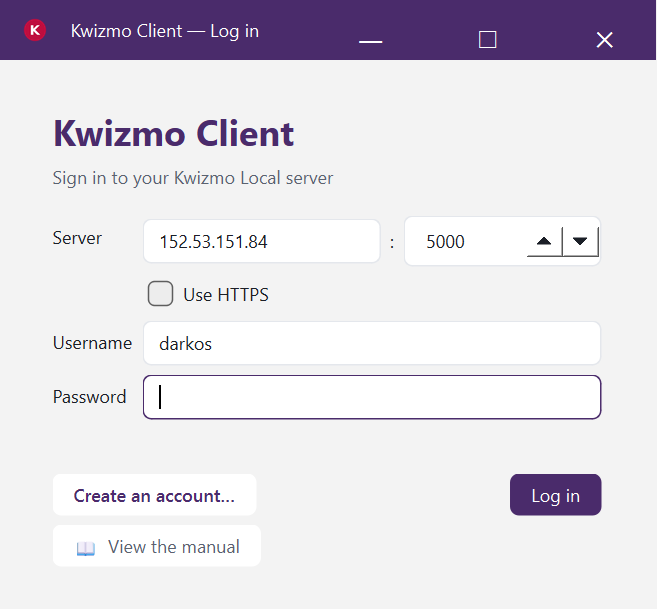
Kwizmo Client is a native Windows desktop application for Kwizmo Local that lets your team search internal…
Kwizmo Client is a native Windows desktop application for Kwizmo Local that lets
your team search internal documents through natural, conversational questions —
without opening a browser and without sending data to external cloud services. Users
sign in against your own Kwizmo Local server, select a domain (a department, project,
or client), and simply ask questions in plain language. Every answer is grounded
strictly in the documents actually uploaded, rendered as clean, formatted text, with
the source documents behind each answer listed alongside it. The application also
automatically recognizes people, organizations, dates, and locations mentioned across
your documents, making it possible to instantly answer questions like "which documents
mention this client" — without manually digging through files.
For IT and leadership, what matters most is that every piece of data stays inside your
own infrastructure: the application connects exclusively to your own Kwizmo Local
server, OpenAI or Anthropic API keys are encrypted at rest on the user's machine
(Windows DPAPI), and session tokens are never written to disk. Administrators get a
dedicated view into every user's activity across the entire server — logins, queries,
uploads, and deletions — giving the organization complete traceability without any
dependency on a third-party provider. Documents can be uploaded directly from local
folders or straight from SharePoint, and the application automatically detects which
files have actually changed, so re-running an upload only sends what's genuinely new —
no duplicated work, no wasted bandwidth.
Each domain — a department, a client, or a project — can have its own chatbot
instructions, its own choice of AI model, and its own retrieval settings, meaning a
single installation can serve HR, legal, and technical documentation teams
simultaneously, each with its own tone and scope of answers. The application ships as
a standalone .exe requiring no installation, and its full source code is included as
well, giving your organization the ability to audit, customize, or build it entirely
within your own security framework. For an enterprise buyer, this adds up to a tool
that combines the experience of a modern AI assistant with the control, traceability,
and data ownership that a serious business environment demands.
Available for installation on the client's infrastructure
Ask about white-label licensing →Each domain can now generate answers with an OpenAI-compatible server, in addition to OpenAI and Anthropic. That can be a model running inside your own network (vLLM, Ollama, LM Studio) or a European provider under your own data-processing agreement.
To set it up, open Settings > Domain settings and:
1. Set AI provider to openai_compatible.
2. Enter the base URL of the server, for example http://llm:8000/v1.
3. Enter the model name exactly as your server calls it.
An API key is optional for this provider. If your server needs one, add it under Settings > API Keys, where it is encrypted like your other keys (Windows DPAPI or the macOS Keychain).
Every domain keeps its own provider, so one team can use a local model while another keeps using OpenAI or Anthropic.
Note: your Kwizmo Local administrator must allow the server's address first, and the server must be version 1.23.0 or newer. If not, the question is refused with a clear message.
Kwizmo Client is now available on macOS, in addition to Windows. The
same desktop experience — conversational search, document upload, entity
browsing, and SharePoint/OneDrive integration — now runs natively on a
Mac, packaged the way Mac users expect: a real .app bundle distributed
as a .dmg, with the standard drag-to-Applications install.
This isn't a bare port. Two pieces of the app that only had a real,
secure implementation on Windows now have a genuine macOS-native
counterpart, not a weaker stand-in:
- API keys are stored in the real macOS Keychain, the same
OS-level protection Windows already got from the Data Protection API
(DPAPI). The actual key value never touches the app's config file —
only a reference to where it lives in the Keychain does.
- App data lives where macOS expects it —
~/Library/Application Support — rather than a generic fallback
location, matching how every well-behaved Mac app organizes its
settings and local files.
For IT teams evaluating Kwizmo Client on mixed Windows/Mac fleets, this
means the same security posture — encrypted, OS-backed secret storage,
no plaintext keys on disk — applies consistently across both platforms,
not just the one it originally shipped on.
One thing worth knowing: builds produced from this release are
ad-hoc signed, which is sufficient for internal distribution within an
organization but not yet notarized for public distribution outside it.
Public release will follow standard Apple Developer ID signing and
notarization.
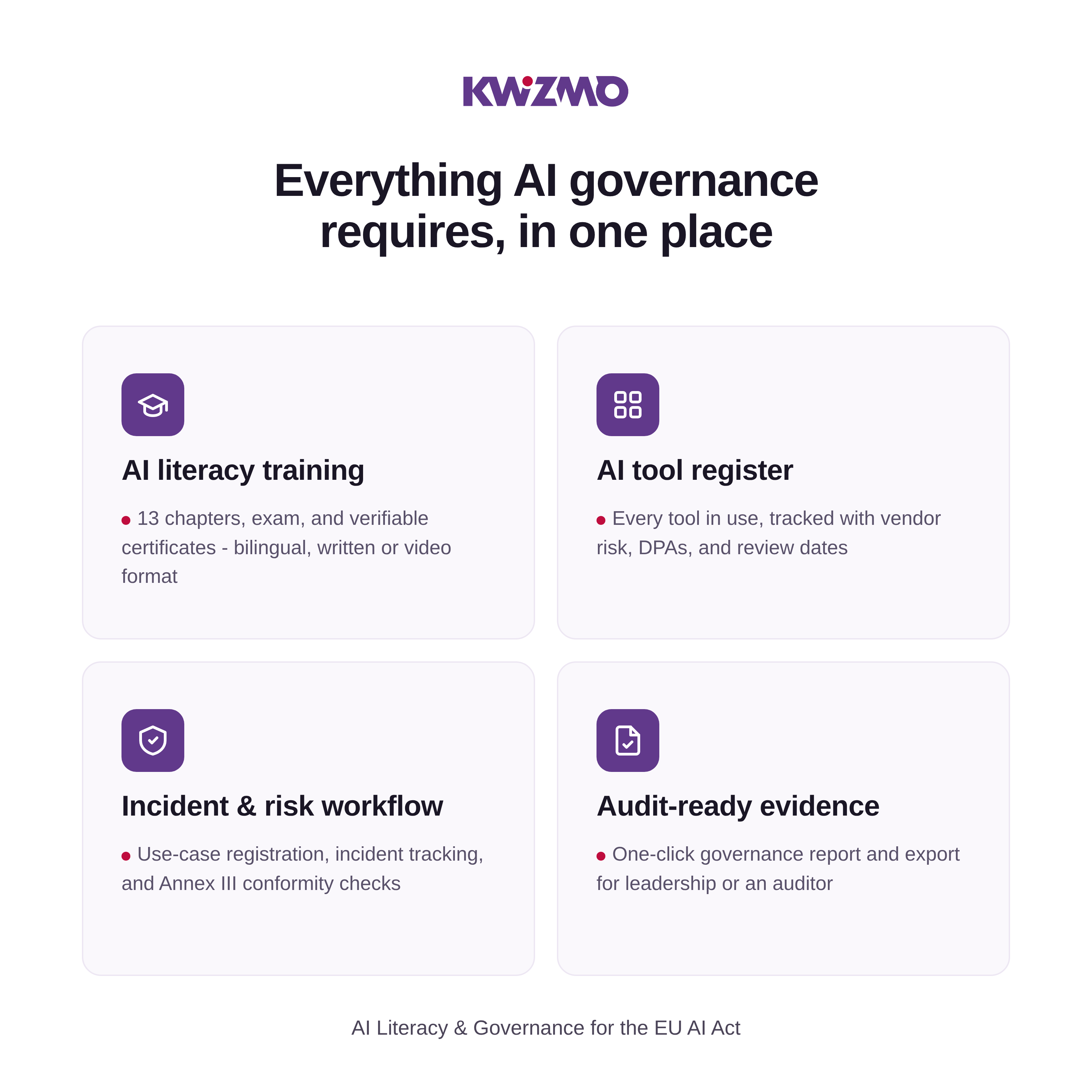
Most companies meet Article 4 of the EU AI Act by sending employees through a training video once and filing away a certificate. Kwizmo treats that as the starting point, not the finish line…
Most companies meet Article 4 of the EU AI Act by sending employees
through a training video once and filing away a certificate. Kwizmo
treats that as the starting point, not the finish line.
Employees complete a bilingual (Slovenian/English) course — 13 core
chapters plus optional modules for their industry and role — then sit a
randomised exam and receive a verifiable certificate. That part is table
stakes. What makes Kwizmo different is everything built around it:
For leadership:
- AI Governance Score — one transparent number out of 100, rolling
up literacy, training completion, tool inventory, policy adoption,
use-case handling, incidents, and overdue reviews — with a clear "N
actions require attention" list and direct links to each one.
- Generate AI Governance Evidence — one click produces a full,
13-section report (literacy programme, employee population, AI
systems register, risk assessments, attestations, incidents,
corrective actions, review history) exportable as PDF, CSV, or JSON —
ready for an auditor or the boardroom.
For employees, every day:
- AI Tool Approval Lookup — search "Perplexity," get an instant
answer: approved status, exactly what's allowed/restricted/prohibited,
who approved it, when it was last reviewed.
- "Can I use AI for this?" assistant — ask in plain language ("Can I
upload a customer contract to ChatGPT?") and get a direct answer
grounded in your organisation's actual registered tools and policy —
not generic AI knowledge — with a concrete alternative when the answer
is no.
- My AI Profile — a personal "AI passport": literacy score, training
status, approved tools, permissions, all in one place.
- Report AI Incident — one click covers accidental data leaks,
biased outputs, unauthorised tools, deepfakes, and more, moving through
a real pipeline: Incident → Classification → Risk → Owner →
Investigation → Resolution → Evidence.
Underneath it all:
- AI Tools Register with risk-adjusted review reminders (30/90/180
days), and AI Use-Case Registration that auto-routes new requests
by risk (low auto-approved, medium to a manager, high to compliance).
- AI Policy Engine — rules connected live to training, tools, use
cases, risk, and evidence — plus full-policy acknowledgment that
records the employee, exact policy version (hashed), timestamp, and
IP/device, not just a checked box.
Fully white-label (your name, logo, colours, 22 visual styles), built for
organisations that want to show real, ongoing AI governance — not just a
certificate in a drawer.
Best for: SMEs and mid-market companies in the EU that need to
demonstrate AI Act compliance on an ongoing basis, and the consultancies
and MSPs who deploy this on their behalf.
Available for installation on the client's infrastructure
Ask about white-label licensing →Anyone – visitors and logged-in users – can now report a problem using the new "Report a problem" link in the footer.
- Choose what the problem is about:
- Platform – wrong translation, bug, unclear content.
- Organisation – access, account, licence or course content of your organisation (logged-in users only).
- Pick a category, describe the problem, optionally add the page URL.
- A simple math question (plus a hidden bot trap and a limit of 5 reports per hour) keeps spam out.
- After sending, you get a private link to follow the report. Logged-in users also have a "My reports" page.
- You see every admin reply and every status change (Open → In progress → Done). Replying to a Done report reopens it.
- If email is configured, you are also notified by email, in your own language.
- Platform reports are seen only by the platform admin (superadmin).
- Organisation reports are seen by that organisation's admins, its assigned managed admins and the superadmin. Nobody else can open them.
- New "Reported problems" page in the Admin menu, with a badge showing the number of open reports and a status filter.
- Each report shows who reported it: name, email, account type, language, page and date.
- Reply to the reporter and set the status Open / In progress / Done. The first reply automatically marks the report as In progress.
Available in Slovenian, English, Croatian, Hungarian and German
Create a single PDF for regulators and auditors in one click. It combines your AI governance evidence with a training register of every employee: progress, best score, pass date, certificate code and re-certification due.
- Tamper-evident: the package is digitally signed and chained to your previous package, so any change or missing package is detectable.
- Easy to verify: the recipient checks it on a public page with the package ID or by uploading the file. A receipt file allows offline verification.
- Privacy-friendly: optionally replace employee names with references when sharing outside the company.
- Works on standard hosting: signing uses libsodium or, if that is missing, OpenSSL.
Find it under Admin → Signed audit package.
The banking, HR and finance modules now include short "What would you do?" scenarios: a customer email pasted into a public AI tool, a deepfake call asking for an urgent transfer, a recruiting tool that quietly favours some candidates. Pick an answer and see at once why it is right or wrong. They are optional practice and do not affect the exam.
The homepage now explains what Litoria does, what the AI Act requires and what happens without a system in place, with a "More" expander to keep it short. It is available in Slovenian, Croatian and English, and says you can be up and running in days, not months.
*Since the last what's-new summary (Kwizmo Skrbnik, administrator
checklist, full functional test, updated homepage introduction).*
The administrator checklist used to show only the current month. The
org-admin can now pick any past month that has at least one completed
item and view what was done then - shown as a read-only view
(checkmarks, no way to change them), with a clear notice naming which
month is being viewed. Past months can't be altered afterward, even
through a crafted link.
The pricing page never explained how an organization actually gets
the Kwizmo Skrbnik managed service. We added a new FAQ entry: the
organization must have any package active, the administrator then
submits a request from the admin menu, and Kwizmo reviews and
activates it. The wording also now makes clear WHEN it's billed: the
full amount for the next 12 months is due immediately upon
activation, in advance - not deferred to the next license renewal
(fixed after we were told the original wording was misleading).
Organizations on the Enterprise package now have a new page the
org-admin can open or print during a conversation with an external
auditor or market surveillance authority. It lists 13 questions such
a person typically asks (AI literacy, tools register, policy,
use-case approvals, incidents, high-risk conformity assessment, risk
classification, vendor agreements, statutory deadlines, governance
score, evidence export, recertification, document templates) - each
with an answer computed automatically from the organization's current
data, and a link to the exact report that proves it. The page also
has a print mode for saving it as a PDF.
If you don't have your own staff to run the platform day-to-day,
Kwizmo can now take that on: setup, content, user support, and
compliance monitoring. Billing is separate from licenses - a monthly
flat fee based on your package (200-500 EUR) plus a 20% surcharge on
the package's per-employee price, both paid annually in advance and
renewed together with your license. Organizations can request
activation, and super-admins activate, renew, or turn the service off
- every charge gets its own reference number for easy bookkeeping.
A new, free, practical to-do list for whoever actually runs Litoria at
your organization - split into one-time setup tasks and recurring
monthly tasks. Items automatically adjust to your package (nothing
shows up for a feature your package doesn't include), and the
administrator can check off what's already done as they go. Available
in the org-admin menu.
We ran a thorough test of the whole application - registration, the
exam and certificates, Stripe payments and webhooks, Kwizmo Skrbnik,
and every super-admin function. We fixed one real bug: deleting an
organization as a super-admin previously failed for organizations with
purchase or Skrbnik history - it now works correctly and leaves no
leftover data behind.
The cards that introduce Litoria to first-time visitors now also
mention the Kwizmo Skrbnik option - it wasn't included before, even
though the service was already available.
- AI system risk classification wizard – a questionnaire that sorts each system into the right category (prohibited, high-risk, limited, minimal) following the Act's actual structure.
- Obligations timeline – which deadlines already apply and which are still coming, tailored to your organization's actual systems.
- Six downloadable documents – an internal policy, a tools register, an employee notice, a pre-adoption checklist, plus two auto-generated reports (AI literacy, risk classification).
- Pre-procurement assessment – employees propose a new AI tool, admins approve it before it's adopted.
- Email confirmation on signup – prevents someone registering with an address that isn't theirs.
- Anonymous incident reporting – employees can flag a concern without their identity being recorded.
- License purchase history – every purchase gets its own reference number to quote on an invoice.
- Real Stripe invoices – with the buyer's VAT number, sent automatically on payment.
- Anonymized peer comparison – how your training completion and registered tools stack up against similar companies in your industry.
A reorganized menu, a clearer organization overview for admins, and a range of smaller usability improvements.
A new public tool lets any website visitor answer 10 quick questions and get an instant readiness score (0–100), plus their three biggest gaps - each paired directly with the Litoria feature that fixes it. The detailed report is gated behind an email, turning curious visitors into qualified leads without any sales conversation.
Self-service payment is here. A "Buy Now" button on the pricing page lets a company pay by card and get instant access - no back-and-forth required. Already a customer? Buying more seats works the same way, with the price calculated live as you pick a package and headcount. Prefer the old way? The manual "request a quote" process still works exactly as before - nothing was taken away, only added.
Stop relying on employees to remember which AI tools they use. A free browser extension quietly notices when someone visits a known AI tool - ChatGPT, Claude, Gemini, and a dozen others - and suggests it into the tools register automatically. Setup takes under a minute, with a guided in-app prompt walking each person through it.
- LinkedIn sharing: employees can share their verified certificate straight to LinkedIn - free visibility for your brand every time someone gets certified.
- Calendar reminders: one click adds recertification deadlines and tool-review dates straight to Google or Outlook.
- Clickable dashboard: every stat card on the company dashboard now jumps straight to the relevant detail - employees, pass rates, incidents.
This release removes friction at every step of the customer journey - from a visitor's first two minutes on the site, through checkout, to the daily habits that keep a governance program alive after signup.
The platform now speaks Croatian end to end - not just the interface, but the entire training course (13 chapters) and both exam question banks, translated with the same care as the Slovenian and English originals. Existing customer accounts pick up the new language automatically, with no re-setup needed.
Swapped the old row of language buttons for a proper dropdown with country flags - SL/EN/HR today, with room to add more languages later without cluttering the header. Click your flag, pick a language, done.
New: a "Menu Search" box for admins. Type a plain-language question - "Where do I change the skin?" - and get pointed straight to the right menu path, no more hunting through nested settings screens. It's available to every organization admin and super-admin from a single shared AI key that the super-admin configures once, so no per-organization setup is required. The link now lives in the main navigation bar itself, visible the moment you log in - not buried where you'd need to already know it existed to find it. And while a search is running, a loading indicator confirms it's working rather than leaving the page looking frozen.
Multi-language support was the biggest lift this cycle - Croatian customers now get a genuinely native experience, not a partial translation with gaps that fall back to another language mid-course. The menu search feature reflects something we hear often: platforms with this much depth (governance dashboards, incident workflows, tool registries, licensing, branding) can be hard to navigate at first. Now the platform can just tell you where to look.
Licenses now run on clear 12-month cycles with automatic email reminders 30 and 5 days before expiry - plus a dashboard warning throughout, so nothing lapses by surprise. Renewing lets you adjust seat count up or down to match actual headcount, and your new term always counts from your current expiry date, never shortened by a slow approval.
Onboard your team at once with bulk invite - paste a list, everyone gets a secure setup link. When someone leaves, remove them with one click: access stops immediately, their license seat is instantly freed for the next hire, and their certificate stays valid and publicly verifiable as a record of what they completed while employed.
Every package now clearly states it includes everything in Basic, plus its own additions - no more guessing what a higher tier really adds. Enterprise pricing is now explicitly individual, with volume discounts for larger teams. Monthly-equivalent pricing sits alongside the annual rate on every card, and the FAQ has grown from 4 to 28 real questions covering billing, security, and day-to-day use.
Certificate language now says "verifiable" instead of "official," avoiding any suggestion of government accreditation the AI Act doesn't require. And the security page now states plainly - not just recommends - that all production traffic runs on HTTPS/TLS.
Four packages - Basic, Growth, Business, Enterprise - each unlocking more capability, independent of headcount. Pick what fits, upgrade any time; existing customers kept every feature they already used.
The 0-100 score is now a documented, weighted methodology across eight areas - literacy, tool coverage, use-case inventory, policy acknowledgement, review timeliness, risk assessment, incident management, recertification - each with a stated weight. The dashboard shows the full breakdown, so a CISO or auditor can verify the math themselves.
The AI Tools Register tracks data processing agreements, data residency, and vendor certifications - the first thing any auditor asks. High-risk systems get an eight-point Annex III checklist; a regulatory obligation calendar keeps every deadline in one place.
Brute-force protection locks a specific account after repeated failed attempts, with a one-click admin override. Full audit logging and IP/country blacklisting give super-admins complete visibility and control.
Tested with 100,000 users and 1,000 organizations in one load-testing pass. Three real bottlenecks were found and fixed - cutting page sizes by up to 700x.
Bulk employee invite lets admins onboard hundreds of people at once via a pasted list, with secure one-time setup links - no more waiting on self-service join codes alone.
Where optional AI-assisted features run on a customer's own Anthropic key, the Privacy Policy and DPA spell out what's transmitted, under whose agreement, and what Kwizmo stores versus what it doesn't.
The platform now offers four packages - Basic, Growth, Business, and Enterprise - each unlocking more functionality, independent of headcount. Choose the one that fits what you need, and upgrade any time. Existing organizations were automatically placed on Enterprise, so nothing you were already using got locked away.
The AI Tools Register now also tracks data processing agreements (DPAs), data residency, and vendor certifications (SOC 2, ISO 27001) - answering the question every auditor asks first.
Any tool or use case marked high-risk now gets an eight-item checklist following the AI Act's Annex III requirements - risk management system, human oversight, testing, conformity declaration.
One clear list combining AI Act enforcement milestones with your organization's actual deadlines - tool reviews, agreement expirations.
Super-admin now sees a full trail of platform activity - logins, changes, admin page access - with configurable retention and CSV export. Platform access can be restricted by IP address, range, or country.
The admin dashboard, exam attempts list, and organizations list were tested with 100,000 users and 1,000 organizations - three bottlenecks were found and fixed, cutting these pages' size by more than 700× in some cases.
The landing page now leads with value instead of obligation, with no mention of maximum possible fines.
AI Governance Score (new): One transparent number out of 100 for the CEO, CISO, or DPO — rolling up literacy, training, tool inventory, policy adoption, use-case handling, incidents, and overdue reviews. A clear "N actions require attention" list links straight to what needs fixing. The formula is published on the page, not a black box.
Generate AI Governance Evidence (new): One click produces a 13-section report — literacy programme, employee population, AI systems register, risk assessments, attestations, incidents, corrective actions, review history — exportable as PDF, CSV, or JSON. This is the artifact you hand an auditor.
AI Tool Approval Lookup (new): An employee searches "Perplexity" and gets an instant answer — approved status, exactly what's allowed/restricted/prohibited, who approved it, last review date. No more guessing or asking around.
"Can I use AI for this?" assistant (new): Ask in plain language — "Can I upload a customer contract to ChatGPT?" — and get a direct answer grounded in this organisation's actual registered tools and policy, not generic AI knowledge, with a concrete alternative when the answer is no.
Full-policy acknowledgment (new): Beyond "I passed the course" — employees now formally acknowledge the whole AI policy, and the record includes the employee, exact policy version (hashed), timestamp, and IP/device. Real consent evidence, not just a checked box.
Bottom line for prospects: competitors sell a certificate. Kwizmo sells a live governance score, a daily-use assistant employees actually open, and a one-click evidence pack for whoever asks "prove it."
AI Policy Engine (new): Your AI usage policy stops being a Word document nobody reads. Each rule connects live to training, registered tools, use cases, a risk rating, and evidence — employee sign-off, automatically marked stale if the rule changes.
AI Incident Management (new): One click — "Report AI Incident" — covers accidental data leaks, biased outputs, unauthorised tools, deepfakes, and more. Every report runs through a real pipeline: Incident → Classification → Risk → Owner → Investigation → Resolution → Evidence.
AI Use-Case Registration (new): Employees describe an intended AI use before doing it. Real-time risk assessment — powered by an actual Anthropic API integration — auto-approves low risk, routes medium to a manager, high to compliance.
My AI Profile (new): A personal "AI passport" for every employee — literacy score, training status, approved tools, permissions. Reframes the whole experience away from "another compliance course."
AI Literacy & Tools Registers (new): Card-per-employee training/risk view, plus a living tools register with risk-adjusted review reminders (30/90/180 days) — so it stays useful long after onboarding.
White-label, deeper: 22 distinct visual styles now, selectable per organisation independent of the platform default — real differentiation, not just recolours.
Cleaner by design: Navigation reorganised into grouped menus as the feature set grew, so none of the above feels like clutter.
Bottom line for prospects: competitors sell a certificate. Kwizmo sells the evidence trail behind it — connected, live, and still relevant in month six.
The headline: Kwizmo is now a full AI Literacy & Governance platform, not just a course.
New positioning: A certificate proves one employee did training. Kwizmo proves the organisation runs a structured, ongoing programme — what Article 4 of the EU AI Act actually requires. Use this against "we'll just train them ourselves."
Fuller feature set: 13 chapters + optional modules (AI agents, prompt injection, Article 50, shadow AI) + unlimited custom chapters, written/video, SL+EN, randomised exam, public certificate verification, industry/role modules, governance docs (AI policy, tool register, employee notices, adoption checklist, auto-generated literacy report), recertification, CSV reports, 2FA.
White-label, self-service: Logo, colors, and 22 distinct visual styles — orgs can now pick their own skin independent of the platform default. Same-day setup for resellers/enterprise.
Trust pages: Public Privacy, Terms, Security, DPA pages; contact form with no exposed email. Speeds up procurement/legal review.
Built-in help: Role-specific user manual live in-product after login — less onboarding effort from us.
Legally current: Course content updated same week the EU shifted the AI Act's high-risk timeline (Digital Omnibus, mid-2026) — proof we track regulatory change in real time.
Proven at scale: Load-tested to 100,000 users; admin screens stay sub-100ms.
🎨 Make it yours — introducing the Partner Program. Agencies and training providers can now offer Kwizmo under their own brand: your company name, your logo, your colors — on every page, certificate, and document your customers see. Pick a ready-made visual style, including a striking dark theme, or set your own palette in minutes. A polished, fully branded training product, without the cost or time of building one from scratch.
💶 Instant, transparent pricing. A new public pricing page lets prospects calculate their exact cost in real time — enter headcount, get an itemized quote immediately, no back-and-forth required. Removes the biggest friction point before a sales conversation even starts, and shows exactly what's included at every company size.
📚 Four new chapters, covering today's real risks. The course now covers AI agents, prompt injection attacks, the AI Act's transparency rules for chatbots and deepfakes, and "shadow AI" — the unapproved tool use every IT and compliance team worries about. Companies pick which ones apply to them, so the course stays sharp and relevant to each customer instead of one-size-fits-all.
🖼️ A stronger first impression. The pricing page, the landing page, and the sign-up flow have all been sharpened — clearer value proposition, an honest explanation of what the AI Act actually requires (and doesn't), and a direct path for agencies interested in reselling under their own name.
Together, this is the difference between "a training course" and "a product you can put your own name on and sell." Every piece above was built and verified end-to-end before shipping — nothing here is a rough draft.
A second round of updates, building on the reporting/recertification suite and 2FA rollout from the previous update.
🛡️ Multiple admins per company. A single admin being on holiday or leaving the company used to mean nobody could touch settings, reports, or compliance documents. Now any admin can promote a colleague to admin status — with a hard, server-enforced safeguard that blocks removing the very last admin, so an organization can never lock itself out.
📝 Custom internal chapters. Companies aren't limited to the standard 13 chapters anymore. Admins can author their own — an internal AI usage policy, company-specific procedures — using the exact same lesson-and-quiz engine as the core course. These appear clearly labeled as supplementary reading on the dashboard and deliberately never gate the official exam, so adding internal content can never accidentally change what "certified" means.
🔍 Certificate verification, front and center. The public certificate-lookup tool is no longer something people only discover via the PDF footer — a direct link now lives on the landing page itself and inside the buyer-facing pitch modal, right next to where ongoing compliance is explained.
The AI-First Sales CRM Your Team Will Actually Use Most CRM systems fail for the same three reasons: they are…
Most CRM systems fail for the same three reasons: they are too complex to adopt, they store data without making sense of it, and they leave everything to be done manually. Kwizmo CRM was built to fix all three — a lightweight, AI-powered sales CRM that installs in 15 minutes, runs on your own server, and gives your team a genuinely useful tool rather than a system they learn to avoid.
Visual Sales Pipeline
A drag-and-drop kanban board where your entire pipeline is visible at a glance. Stages are fully configurable. Moving a deal is a single drag. Every card shows the deal value, contact, owner, and how long the deal has been sitting still — deals going quiet are flagged automatically before they go cold.
Built-in AI Assistant
Not a chatbot bolted on from outside — a proper AI layer woven into the CRM itself. Ask questions in plain language: "Which deals haven't been contacted in two weeks?" Get an answer. Open any lead and request a full history summary in one click. Add a note after a meeting and the AI detects follow-up tasks you should create. Draft a follow-up email based on the lead's history. A weekly AI summary lands every Monday with a read on your pipeline, risks, and opportunities. You bring your own Anthropic API key; we do not mark it up.
Automated Sequences
Define a sequence of follow-up steps — call on day 1, email on day 6 — and apply it to any lead with one click. Email reminders go out automatically. Nothing falls through the cracks because someone forgot to follow up.
Email Inside the CRM
Send emails directly from a lead's page. Choose from templates. Every sent message is logged to the lead automatically. The full conversation history is there the next time you open the deal, without hunting through an inbox.
Analytics That Mean Something
25+ live charts across six sections: pipeline by stage, trends over time, performance by source, performance by owner, win/loss reasons, and activity. Win rate, weighted forecast, average time in each stage, revenue trend over 12 months. All calculated from your actual data, in real time.
Tasks, Reminders, and Notes
Every interaction is logged to the deal it belongs to. Create tasks, set reminders with automatic email delivery, leave notes with a custom date for events that happened in the past. Nothing lives in a separate to-do app.
Kwizmo CRM is designed for companies with a real sales process: deals that take more than a day to close, multiple touchpoints, and a team that needs to coordinate. It works for 2 salespeople and for 20. It has been used by software companies, accounting firms, IT consultancies, and partner networks across Slovenia, Serbia, Bosnia, and beyond.
It is not designed for e-commerce, high-volume transactional sales, or call centres. The sweet spot is B2B relationships with a sales cycle of one week to nine months.
Kwizmo CRM installs on any standard PHP hosting — including shared cPanel hosting — with no Docker, no DevOps, and no cloud subscription. Your data stays on your infrastructure. One installation serves one company. GDPR compliance is a consequence of the architecture, not a checkbox.
Import your existing data from Pipedrive or HubSpot in one click. Available in seven languages: English, Slovenian, Serbian, Bosnian, German, Italian, Croatian.
| Installation time | Under 15 minutes |
| Languages | 7 |
| Analytics charts | 25+ |
| AI features | 8 distinct capabilities |
| Server requirement | PHP 7.4+, MySQL/MariaDB |
| External dependencies | None (AI key is yours) |
| Data ownership | 100% yours |
Kwizmo CRM is sold as a one-time installation for your infrastructure, with optional onboarding and data migration. There are no monthly per-seat licence fees. AI usage costs go directly to Anthropic at whatever your account rate is — we see none of it.
To see the CRM in action with realistic data, ask for a live demo. We will walk through a real pipeline, run the AI assistant live, and answer any technical questions about the installation.
Kwizmo d.o.o. · Ljubljana, Slovenia · kwizmo.eu · info@kwizmo.eu
Available for installation on the client's infrastructure
Ask about white-label licensing →Instead of sending a PDF, you now send a link. The prospect opens a branded, private page built around your proposal — no login, no attachment to hunt for.
Build the room from any lead in seconds: add sections by type (Proposal, Pricing, Timeline, Team, FAQ, Resources, Next Steps), reorder them with arrows, hide ones that aren't ready, and set an expiry date if you want the link to stop working after a deadline.
Send it from the editor. When SendGrid is configured, enter the prospect's email and name (pre-filled from the lead), edit the subject and message, and send — the link is delivered in a branded email with a large CTA button.
Two-way conversation, built in. The prospect can leave questions at any bottom of the room. You see every comment in the Deal Room tab of the lead, displayed as a chat conversation — prospect messages on the left, your replies on the right. Type a reply in the CRM and it appears on their page. You receive an email when a new comment arrives.
One click to turn a comment into action. Each prospect comment has a → CRM button. Choose note, task, or reminder — pre-filled from the comment text, ready to save.
When they accept, the CRM acts. The prospect clicks Accept Proposal — a note records who accepted and when, a task is created for you ("Send contract and confirm next steps", due in 2 days), and the lead moves to the next pipeline stage automatically.
Full activity tracking. Every open, section view, comment, and email send is logged to the lead.
Previous release: Sales KPI module — quota tracking, pipeline coverage, leaderboard, weekly digest.
Send your prospect a single branded link. They open a private, personalised page with your proposal, pricing, timeline, team introduction, FAQ, and a clear list of next steps — no login required, no attachments to hunt for.
For the sales rep:
Build the room in minutes from any lead. Add sections by type (Proposal, Pricing, Timeline, Team, FAQ, Resources, Next Steps, or custom). Toggle sections visible or hidden. Send the link directly from the editor — email is pre-filled with the prospect's name and address from the CRM, subject and message are editable, SendGrid handles delivery.
For the prospect:
A clean, branded page that looks like it was built for them. They can leave comments and questions without signing up. A checklist of next steps shows clearly what each side needs to do. An "Accept Proposal" button makes commitment explicit and logged.
When accepted, the CRM acts automatically:
- A note is added to the lead with the acceptance timestamp and name
- A task is created for the rep: "Send contract and confirm next steps" — due in 2 days
- The lead moves to the next pipeline stage (optional)
- The rep receives an email notification
Every comment from the prospect is actionable:
Each comment in the Deal Room tab has a one-click "→ CRM" button. Choose whether to convert it into a note, a task (with type and due date), or a reminder — pre-filled from the comment text, editable before saving.
Full activity tracking: every room open, section view, comment, and email send is logged to the lead.
Previous release: Sales KPI module with quota tracking, pipeline coverage, activity funnel, leaderboard, and weekly digest.
Track quota attainment, pipeline coverage, and team performance — all built on top of your existing CRM data, with no setup beyond setting a monthly revenue target per rep.
Quota vs. Actual — set monthly targets per rep with one click. See attainment %, the remaining gap, and whether the weighted pipeline covers it. Coverage below 1.5× turns red automatically.
Activity funnel — calls → meetings → advanced deals → closes, per rep and as a team. Spot who has a qualification problem vs. a closing problem without running a single report manually.
Leaderboard — reps ranked by quota attainment %, with medal icons for the top three. Updates live as deals close during the month.
Forecast trend — three-month rolling view of quota vs. actual, so you can see whether attainment is improving and whether targets are being set realistically.
Deals at risk — open deals with no activity in 14+ days, surfaced automatically. No manual hunting through the pipeline to find what's going stale.
Weekly digest — one click sends a structured KPI email to all admins: team attainment, pipeline coverage, top performer, deals won this week, and at-risk deals. Set up a cron job to send it every Monday automatically.
- Edit notes, tasks, and reminders inline — no modal, no page reload
- Delete reminders when they become obsolete
- Assigned-to field when editing tasks
- User groups — members of the same group see each other's leads without turning on full visibility
- Math CAPTCHA + honeypot on registration to block bots
- Test/showcase account — fully isolated demo user for live presentations
AI-Powered Warehouse & Internal Logistics Management The Problem Metal-part manufacturing plants run on tight…
Metal-part manufacturing plants run on tight tolerances — not just in the parts they make, but in how materials move between machines. A hydraulic press running dry for seven minutes means a stopped production line. A forklift driver who doesn't know which of three buffer zones is closest means wasted time and missed KPIs.
Traditional WMS platforms were built for warehouses, not factory floors. They track pallets. They don't understand production rhythms, machine buffer levels, or the real-time urgency of a KLICI signal from a CNC centre that needs material in the next twelve minutes.
Kwizmo ATLAS was built specifically for this environment.
Kwizmo ATLAS is a real-time logistics control platform that connects your machines, vehicles, and operators into a single intelligent system — and uses AI to make the right transport decision at the right moment.
From signal to delivery in seconds:
A machine sends a material request. ATLAS receives it, creates a transport task, scores every available vehicle on proximity, battery level, type suitability, and load capacity, and assigns the best one — automatically, with a confidence rating and a written explanation of why. The forklift operator sees step-by-step instructions on their mobile terminal before they've even started the engine.
| Capability | What it means in practice |
|---|---|
| AI Task Assignment | Every material request is matched to the optimal vehicle using a 4-factor weighted algorithm. Average assignment time under 30 seconds. |
| Fleet Optimisation | One click assigns all pending tasks across all vehicles simultaneously, prioritising critical supply first. |
| Live Floor View | Real-time dashboard showing every machine's buffer level, every vehicle's position and battery, and every active task — updating live without page refresh. |
| Demand Forecasting | Predicts which machines will run dry in the next two hours, based on buffer depletion rate and production plan. |
| Anomaly Detection | Statistical process control on 24-hour KPI history. Flags outliers, rising trends, and capacity bottlenecks before they become stoppages. |
| Shift Reports | Auto-generated shift summary: tasks completed, faults, operator performance, exceptions — printable and downloadable. |
| Scheduled Email Reports | Daily and weekly HTML reports sent automatically to management. No manual exports. |
| Mobile Operator Terminal | Works in any smartphone browser. No app install. Start task, complete task, report exception — three taps. |
| ERP & SCADA Integration | Native connectors for SAP, Oracle, and custom REST. Machine signals accepted via webhook from any PLC or SCADA system. |
| AMR Dispatch | Autonomous mobile robots receive missions directly from ATLAS. Status callbacks update the system in real time. |
Kwizmo ATLAS runs on PHP 7.4 and MariaDB. No Docker required. No cloud subscription. No Composer, no npm, no build pipeline. It installs in a subdirectory on an existing Apache web server in under 30 minutes.
The real-time live updates use Server-Sent Events — a standard HTTP streaming technique that works on any host, with careful connection management that prevents the platform from exhausting shared hosting connection limits.
ATLAS uses Anthropic Claude as its reasoning engine. Every AI decision is:
- Explainable — the full reasoning is stored and viewable per task
- Auditable — all decisions written to an immutable audit log
- Overridable — any supervisor can reassign, cancel, or modify at any time
- Gracefully degradable — if AI is disabled or unavailable, rule-based fallbacks keep operations running
The AI is not a black box. It is a co-pilot.
Kwizmo ATLAS is designed for metal-part and component manufacturers with:
- Internal logistics between production machines and warehouse zones
- 3–30 forklifts and/or autonomous mobile robots
- Machine-driven material requests (KLICI, PLC signals, SCADA events)
- Shift-based operations with multiple operators
- Existing ERP and/or SCADA systems to integrate
- Tracks 200+ pallets simultaneously across zones, machines, and vehicles in transit
- Supports unlimited machines across multiple production lines
- Dashboard KPIs update live (Server-Sent Events, 5-second cycle)
- AI assignment typically completes in under 3 seconds
- Complete installation from zero: under 30 minutes
A full Kwizmo ATLAS deployment includes:
- Complete web application (PHP source, database schema, migration scripts)
- Operator mobile terminal (browser-based, no app store)
- Admin dashboard, live operations view, floor map, KPI analytics, shift reports
- Machine Performance and OEE analytics dashboard
- In-app help system with 20-chapter documentation
- Full REST API with interactive documentation and live try-it-out
- Docker Compose setup for development and staging environments
- User Manual (26 chapters) and Technical Architecture document
Kwizmo ATLAS — Intelligent logistics for the factory floor.
> Contact: kwizmo.eu
Available for installation on the client's infrastructure
Ask about white-label licensing →Your back-end already works. Now give your customers a way to use it. Most organisations running a bank, an…
Most organisations running a bank, an insurance company, a utility, or a government service have the same problem. The back-end is solid — transactions process, policies are managed, accounts are maintained. What's missing is a customer-facing interface that doesn't require a six-figure development project and eighteen months of waiting.
Kwizmo Claveo solves this in a single step: upload your WSDL (or in the next version also openAPI) file and your customer portal is ready.
Claveo reads your WSDL — the technical description of your existing SOAP service — and automatically generates everything your customer sees. Login screen, navigation menu, data entry forms, review steps, searchable result tables, AI-assisted form filling, and push notifications to any device. Your customers log in, do what they need to do, and log out. They never see XML, SOAP, or any technical detail. They just see a clean, branded web application that looks like it was built for them specifically.
Because the portal is generated from your WSDL, it evolves with your service. Add a new operation to your WSDL and a new menu item appears. Change a field name and the form updates. Your back-end team controls the customer portal entirely from the system they already own.
| Industry | Typical use cases |
|---|---|
| Banking & finance | Account management, fund transfers, statement downloads, loan applications, card controls, family banking with parental spending limits |
| Insurance | Policy lookup, claims submission, premium payment, beneficiary management, document upload |
| Telecommunications | Subscriber self-service, plan changes, SIM management, invoice history, data usage |
| Utilities & energy | Bill payment, meter readings, consumption history, contract management |
| Government & public sector | Citizen portals, application submission, status tracking, fee collection |
| Any SOAP/WSDL service | If you have a WSDL, you have a portal — in minutes |
Customers visit your portal URL or install it as a mobile app with one tap. They log in with a one-time passcode sent to their phone, a username and password they registered themselves, or a client certificate issued by your organisation. Once inside, they see a branded interface — your logo, your colours, your name — and interact with your services through straightforward forms and clear result screens.
Claveo's AI assistant understands plain language. A customer can type "transfer two hundred euros to my savings account" and the form fills itself. Push notifications arrive on their phone the moment something they care about happens — a payment is approved, a statement is ready, a request is resolved.
Your portal administrator uploads the WSDL, sets the logo and brand colours, configures which operations are available and to whom, and monitors all activity through a full audit log. There is no front-end code to write, no framework to learn, no deployment pipeline to manage. The administrator console is a web page. Setup takes an afternoon.
For high-value operations — large transfers, account changes, sensitive data access — a mandatory second-person approval step can be enabled with a single toggle. Every action is logged with timestamp, IP address, and identity. An AI monitor scans the audit log continuously and flags unusual patterns.
- Zero front-end code — the entire customer interface is generated from your WSDL
- Four authentication modes — OTP via SMS, username & password with self-registration, mutual-TLS client certificates, open demo mode
- AI-assisted forms — natural language input fills form fields automatically
- Mobile-first PWA — installs on Android and iOS, works offline, QR code for instant onboarding
- Web push notifications — to any subscribed device, triggered from the portal or from your own back-end via REST API
- White-label branding — custom logo, colours, domain, and favicon per portal
- Four-eyes approval — mandatory second-person sign-off on sensitive operations
- Full audit trail — every action logged, with AI anomaly detection
- Multi-tenant — one installation, unlimited portals for different products or organisations
Claveo ships with a complete family banking demonstration — two portals (parent and child), a working back-end mock, and a drag-and-drop pocket money interface — that can be deployed and running in under five minutes. A banking, insurance, or telco demo is also available. Bring a WSDL file and we will generate your portal in the room.
We offer a fixed-price, two-week proof of concept engagement. You provide a WSDL file and access to a staging environment. We deliver a live portal — on your back-end, with your branding, accessible to your team — plus a written roadmap to production. The PoC fee is credited against the first year of your licence if you proceed.
Kwizmo d.o.o. · Ljubljana, Slovenia
kwizmo.eu · info@kwizmo.eu
Available for installation on the client's infrastructure
Ask about white-label licensing →Finance Predict API A forecasting engine that tells you when not to trust it. You hand it a CSV of dated events — a bank export, a claims file, a set of meter readings, a month of call records, a…
A forecasting engine that tells you when not to trust it.
You hand it a CSV of dated events — a bank export, a claims file, a set of meter
readings, a month of call records, a subscription ledger. It hands back what
happened, what is likely to happen next, and how much confidence that deserves.
It runs on your own server, stores nothing, and calls nothing.
They answer.
Ask for twenty-four months and you get twenty-four months, with confidence bands
that widen politely, and somewhere along that line the forecast stopped meaning
anything — and nothing said so. Someone sizes a budget on it. Someone sets a
reserve. The number looked like a number.
Finance Predict API is built the other way round. It races eight forecasting
methods against each other on your file, including deliberately naive ones like
"repeat last month". It scores them out of sample. And when the naive method
wins — which happens often — it says so, in a field calledmodelling_is_worth_it, and tells you to use that instead.
A tool that admits it cannot help is worth more than one that never does.
Ask in plain English, or call an endpoint directly.
> "Will my balance drop below 500 in the next 60 days?"
>
> "Starting from 2 500.00 EUR on 9 Sep 2026, the balance is projected to be
> 2 950.43 EUR by 8 Nov 2026 (likely range 1 751.13 EUR to 4 149.73 EUR). The
> lowest point in that window is 815.70 EUR around 27 Sep 2026…"
113 analysis types. 125 endpoints. Six industries.
- Cash flow and balances — projections, low points, recurring commitments,
what is committed before anything discretionary is spent
- Patterns and anomalies — what repeats, what stepped, what is genuinely
unusual rather than merely large
- Customers and cohorts — retention, churn risk, lifetime value,
concentration, who is drifting away before they leave
- Insurance — claims development, reserve adequacy, chain-ladder triangles
- Usage and capacity — consumption forecasting, threshold risk, when a limit
gets hit
- Twenty industry-agnostic analyses that use nothing but the dates and the
numbers, and work on any file at all
Every figure comes with the formula behind it and a plain-English explanation of
what it means — 196 of them, written out.
Most forecasting vendors publish a claim. This one publishes a benchmark, the
data it ran on, and the script that produced it. You can run it yourself in three
minutes, on our data or on yours.
Across 1,656 rolling-origin forecasts on fifteen public time series:
| Finance Predict | Repeat last value | Same period last cycle | |
|---|---|---|---|
| Mean error (MASE, lower is better) | 0.923 | 1.538 | 1.300 |
| Mean error (sMAPE) | 8.53% | 10.87% | 9.61% |
The published 80% confidence interval actually held 84.0% of the time — the
number almost nobody publishes, and the one that decides whether a buffer sized
on that band is safe.
```
php bin/benchmark.php --dir=/your/own/csvs
```
The benchmark also has a section called "Where it loses", naming every series
the product was beaten on and explaining why. It is part of the documentation,
not an appendix. A benchmark without that section is marketing.
- Finance teams who currently forecast in a spreadsheet and know the
spreadsheet is load-bearing
- Insurers and brokers who need claims development and reserve adequacy
without an actuarial platform
- Utilities, telecoms and subscription businesses sitting on usage data
nobody has time to analyse
- Software vendors who want forecasting inside their own product without
shipping a data science team with it
It is not a BI tool — there are no dashboards. It is not a data warehouse — it
stores nothing. It is not a machine-learning platform — there is no training
step and no model to maintain. It is the statistical layer your analysts would
otherwise build by hand, with the working shown.
Copy a folder onto a server. Point a vhost at it. Set an API key. That is the
installation.
- PHP 7.4 or later. No Composer, no dependency manager, no vendor directory,
no build step, no container required.
- No database. Nothing is written between requests.
- No outbound network calls in any ingestion, analysis or forecasting path.
Your data does not leave the machine you put it on.
- Readable source. All of it. There is no third-party code to audit because
there is no third-party code.
It runs on the kind of managed or shared hosting a mid-sized finance team
already pays for — which is exactly why it was built this way.
| File size | Parse and build | Peak memory |
|---|---|---|
| 50,000 rows | 2.1 s | 58 MB |
| 100,000 rows | 4.2 s | 113 MB |
| 200,000 rows | 9.0 s | 226 MB |
A forecast on a prepared file takes well under a second.
The API declines to answer when your data cannot support the answer, and names
the specific thing that is missing — never "insufficient data".
- Eleven months of history will not get you a seasonal decomposition.
- A claims file with no reserve column gets null for reserve adequacy and a
sentence explaining that a null and a zero mean different things.
- A file whose subjects churn between periods is told its mix analysis is
measuring churn, not mix.
- An annual series is refused outright, because the engine buckets by week,
month and quarter and says so.
And where regime change is possible — an economy behaving differently than it did
before — the documentation states plainly that the published band is not a risk
limit. On the benchmark, two of fourteen series behaved that way.
| The API | 125 endpoints, published OpenAPI 3.0.3 contract |
| Documentation | Plain-English catalogue of every question it answers, integration guide, formula for every figure |
| A demo web app | Follows whichever industry you pick |
| The benchmark | Results, method, provenance, and the harness to re-run it on your data |
| The test suite | 901 assertions, runs on your server with nothing installed |
| Security posture | Documented, including the parts that are weak |
An evaluation licence is 30 days, on your own infrastructure, against your own
data. Nothing is sent to us and nothing needs to be.
The first thing to do with it is point the benchmark at your own files and see
whether modelling is worth it for you. If the answer comes back that it is not,
the product will tell you — and that is a useful afternoon either way.
Kwizmo d.o.o.
Ogrinova 31, 1291 Škofljica, Slovenia
Enquiries: info@kwizmo.eu
Technical questions: support@kwizmo.eu
*Finance Predict API produces statistical forecasts. A forecast is a statement
about uncertainty, not a guarantee. It is not a substitute for regulated
financial, investment or actuarial advice.*
Can be installed on your servers as well
Ask about white-label licensing →PII Pseudonymizer Use AI without handing over your customers' data. Names, addresses, ID numbers and bank details are replaced with realistic fake values before your text reaches ChatGPT, Claude or…
Use AI without handing over your customers' data.
Names, addresses, ID numbers and bank details are replaced with realistic fake
values before your text reaches ChatGPT, Claude or any other AI service. The
answer comes back with the real values in place. Built for Slovenian, Croatian,
Serbian, Bosnian, German and English — including the grammar that most tools get
wrong.
People paste customer e-mails, contracts, medical notes and HR files into AI
chats every day. The moment they hit send, that data is on somebody else's
server, under somebody else's terms. Blocking AI does not work — people use it
anyway, on their phones.
Deleting the data does not work either: [REDACTED] everywhere makes the text
unreadable, and the AI gives worse answers.
We swap real data for believable fake data. "Janez Novak, Slovenska cesta 55,
041 123 456" becomes "Klemen Mlakar, Jurčičev trg 26, 078 369 169". The text
still reads like a normal text, so the AI answers just as well — and when the
answer comes back, we put the real values in again.
| Before | Sent to the AI | What you get back |
|---|---|---|
| Spoštovani gospod Novak, … | Spoštovani gospod Mlakar, … | Spoštovani gospod Novak, … |
Fake ID numbers, IBANs and card numbers even have valid check digits, so the
text passes any validation your systems do.
Paste a text, get it back protected, copy it out. Optionally get a table of every
replacement, and put the real values back afterwards. Nothing is stored.
Protection where it actually happens. Paste into ChatGPT, Claude, Gemini,
Copilot, Mistral, Perplexity or DeepSeek and the personal data is replaced
before the chat sees it. Copy the answer and you get the real names back.
Runs entirely in the browser — it makes no network connections at all.
For developers: an OpenAI-compatible endpoint. **Change one line — the base
URL — and every prompt your application sends is protected automatically**,
answers restored, streaming and tool calls included. Works with OpenAI, Mistral,
Anthropic, Gemini, Groq, OpenRouter, or a model running in your own server room.
```python
client = OpenAI(
base_url="https://pii.kwizmo.com/v1";, # the only change
apikey="pii…",
)
```
Pseudonymize and restore from any language, with batch requests, your own list
of names to always replace, and a key that keeps the same fake values across
requests. OpenAPI description included.
The whole thing on your own server: **PHP 7.4 or newer, no database, no
Composer, no other libraries** — or Docker. Data never leaves your network. For
banks, hospitals, law firms and public institutions this removes the question of
trusting a cloud service entirely.
Most anonymization tools are built for English and stumble over Slavic
languages, where a single name appears in many forms.
- **Slovenian, Croatian, Serbian (Latin and Cyrillic), Bosnian, Montenegrin,
German (DE/AT/CH) and English.**
- "Novak", "Novaka", "Novakom", "Novakovi" are recognised as the same person and
get the same fake name in the matching form.
- Dropped vowels are handled: Korošec → Korošca, not Korošeca.
- Cyrillic stays Cyrillic. Fake names, streets and towns match the language of
the text.
- If the AI invents a new form of a fake name ("Mlakarju"), the real name still
comes back correctly ("Novaku").
Names (also without any cue, using a small machine-learning model), street
addresses, postcodes with towns, phone numbers, e-mail addresses, EMŠO, JMBG,
OIB, Slovenian tax numbers, German Steuer-ID, Austrian and German social
security numbers, VAT IDs, IBANs, payment cards, bank account numbers, dates of
birth, customer, contract and document numbers, passwords, PINs, usernames, IP
addresses, and US social security numbers.
Each of these can be switched off, and you can add names that must always be
replaced.
Everyone claims their detection works. We publish the numbers, the test texts
and the program that produces them.
| On 35 test texts, 177 marked items | |
|---|---|
| Personal data replaced | 96.6 % |
| Precision (replacements that were really personal data) | 98.3 % |
| Without the machine-learning name detector | 62.1 % |
A name counts as replaced only if every part of it was replaced. The rules were
tuned on a separate set of texts, never on the test texts. Full method, results
per language and a list of what the tool does not catch: on the accuracy page.
Honest limits. Detection is automatic and imperfect. The result is
pseudonymized, not anonymized — context can still identify someone. Read the
result before you share it.
- Nothing you submit is stored. Texts, results and replacement lists live in
memory for the length of one request. Not on disk, not in logs, not in a
database, never used for training.
- We keep two things: the time and the IP address of each request, for rate
limiting, deleted after 30 days.
- No cookies, no analytics, no third-party scripts or fonts.
- The browser extension makes no network requests whatsoever.
- Self-host it and none of this requires trusting us at all. Business
customers get the full source code to check every claim on this page.
| Free | Business | Self-hosted | |
|---|---|---|---|
| Web tool and browser extension | ✓ | ✓ | ✓ |
| Public API | 10 requests/min | your own limits and quota | unlimited |
| LLM gateway | – | ✓ | ✓ |
| Data processing agreement (GDPR Art. 28) | – | ✓ | not needed |
| Uptime commitment and support | – | ✓ | support contract |
| Source code | – | ✓ | ✓ |
| Data leaves your network | to us | to us | never |
- Support teams that want AI-drafted replies to customer e-mails.
- Law firms and accountants summarising documents full of client data.
- Health care and HR where the data may not leave the building at all.
- Software teams building AI features on top of a customer database, without
sending that database to an AI provider.
- Anyone who pastes work text into ChatGPT and would rather not think about
it every time.
- PHP 7.4–8.4, no database, no Composer, no third-party libraries.
- About 3 ms per typical e-mail; the name model adds under 1 ms.
- Identical JavaScript engine for the browser: same input, same fake values.
- Docker image, Apache and nginx configurations included.
- API keys, per-minute limits, monthly quotas, health endpoint for monitoring.
- Deterministic: the same key gives the same fake values, across requests and
across machines.
The engine, web tool, API, LLM gateway and browser extension are complete and
tested. The extension is currently installed manually; store versions are on the
way.
Kwizmo d.o.o., Ogrinova 31, 1291 Škofljica, Slovenia
Comes with Docker setup
Ask about white-label licensing →Danish, Norwegian, Swedish, Finnish and Icelandic — twelve languages in all.
Not just word lists: Finnish consonant gradation (Virtanen → Virtaselle),
Icelandic cases and patronymics that keep the gender (-dóttir never becomes
-son), and the Scandinavian genitive.
Found and replaced with checksum-valid fakes: personnummer, CPR,
fødselsnummer, henkilötunnus, kennitala, the five company numbers and the VAT
formats. Nordic addresses put the house number last; Swedish 123 45 and
Icelandic three-digit postcodes are recognised.
Measured: 97.3 % of personal data replaced, 99.0 % precision, on 60 test
texts with 328 marked items — up from 35 texts in seven languages. The name
model was retrained on all eleven languages. Method and per-language figures
on the accuracy page.
The admin page's Usage tab now shows, for each customer: plan, requests, what
the plan includes, requests above that, plan fee, overage and net total, with
a month total and a CSV ready for invoicing.
- Whole months, net prices, overage charged in started thousands.
- Freeze a finished month, so a late request can never change an invoice
you have already sent. Reopen if you must; both are recorded in the audit
log.
- php bin/keys.php billing | freeze | reopen YYYY-MM for scripted runs.
Clause 6 was rewritten. The old "provided free of charge, as is" wording
contradicted the paid plans. Free use keeps the as-is terms; paid plans now
carry a warranty, the published availability figure, 30 days' notice of
changes and a liability cap.
The image builds cleanly and ships safer defaults: the published port binds to
localhost only, the Compose project has a name of its own, and the build fails
loudly if pdo_sqlite is ever missing from the base image.
LinkVault A bookmark and credentials portal built for teams and individuals who want full control over their…
A bookmark and credentials portal built for teams and individuals who want full control over their saved links — and the passwords that go with them.
LinkVault is a private, multi-user web application that you deploy on your own server. It stores bookmarks, organizes them by category, and optionally saves the login credentials for each site — encrypted at rest. Because it runs on your infrastructure, your data never touches a third-party cloud.
Every bookmark captures a title, URL, category, and optional notes. The main dashboard groups bookmarks by category, so even a large collection stays navigable at a glance — each group shows a count badge and collapses visually into its own section. An uncategorized group is always placed last, keeping deliberate organization front and center.
A category and text filter sits above the list for quick narrowing. For free-form queries — "PHP security articles", "tools I use for deployment" — an AI search mode sends the collection to the Anthropic API and returns the most relevant matches with a one-sentence explanation of what it found. Each user supplies their own Anthropic key in Settings, so the feature is opt-in and the cost stays with the person using it.
Each bookmark can store a site username and password alongside the link. Passwords are encrypted using AES-256-CBC before being written to the database; the encryption key is derived from a secret defined in the server configuration and never appears in the data layer. Viewing a stored password from the dashboard decrypts it on demand behind a "reveal" toggle.
User account passwords use bcrypt — a separate concern from site credentials, handled correctly and independently.
LinkVault ships a browser bookmarklet that fills login forms automatically when you visit a site that has saved credentials.
From Settings, drag the LinkVault Autofill button to your browser's bookmarks bar (or copy the code manually and create a bookmark with it as the URL). When you land on a login page, click the bookmarklet. A small LinkVault popup appears, looks up credentials for that hostname, and fills the username and password fields on the page behind it — then closes itself. If multiple accounts are saved for the same site, the popup shows a picker so you can choose the right one.
The popup approach was chosen deliberately. A simpler implementation would use fetch() to call the LinkVault API directly from the page — but many sites block cross-origin requests via their Content Security Policy, making that approach unreliable. Instead, the bookmarklet opens a popup on the LinkVault domain, which does the credential lookup server-side and passes the result back via postMessage. The page's CSP cannot interfere with a same-window message, so filling works consistently regardless of how strict the target site's security headers are.
Each user has a personal autofill token — a random 32-byte value — that authenticates the popup without requiring an active session. The token can be regenerated from Settings at any time, which immediately invalidates any existing bookmarklet installed in a browser.
Bookmarks can be shared in two ways.
Public share links generate a time-limited URL that anyone can open — no LinkVault account required. The link can optionally include the saved credentials, making it suitable for handing a colleague access to a shared tool without exposing your full vault. Share links expire after a configurable number of days and can be reused (the same parameters produce the same token until expiry).
User-to-user sharing lets you send a bookmark directly to another registered user on the same instance. A message can accompany the share. The recipient sees it in their Notifications inbox — unread shares are highlighted in the nav — and can accept the bookmark into their own collection. As with public links, credentials can be included or withheld at the sender's discretion. The recipient gets an email notification when a share arrives (if the server has outbound mail configured).
Shared bookmarks received from other users are displayed separately from owned bookmarks, so the distinction between "my links" and "links shared with me" is always clear.
Users register with an email and password. A "Keep me signed in for 30 days" option on the login form sets an HttpOnly, SameSite=Lax remember-me cookie backed by a hashed token in the database. The raw token is never stored; on each auto-login the token is rotated, so a stolen cookie cannot be reused after the next genuine sign-in.
Password reset is handled entirely by email: a time-limited token is sent to the registered address, and the reset link expires after one use.
An admin panel gives designated administrators a full audit log — every login, credential view, share creation, and autofill event is recorded with a timestamp, user, and action detail. Admins can also review registered users and access counts across the instance.
The application ships as a single ZIP. Extract it, point a PHP 7.4 web host at the directory, set APP_URL, APP_SECRET, and optionally SMTP credentials in config.php, and open the URL. The SQLite database and schema are created automatically on first load. There is no installation wizard, no database server to configure, and no dependencies to install.
It installs as a Progressive Web App — a manifest.json and icons are included so it can be added to a phone's home screen and used like a native app.
LinkVault is a self-hosted tool. You run it, you own it.
Available for installation on the client's infrastructure
Ask about white-label licensing →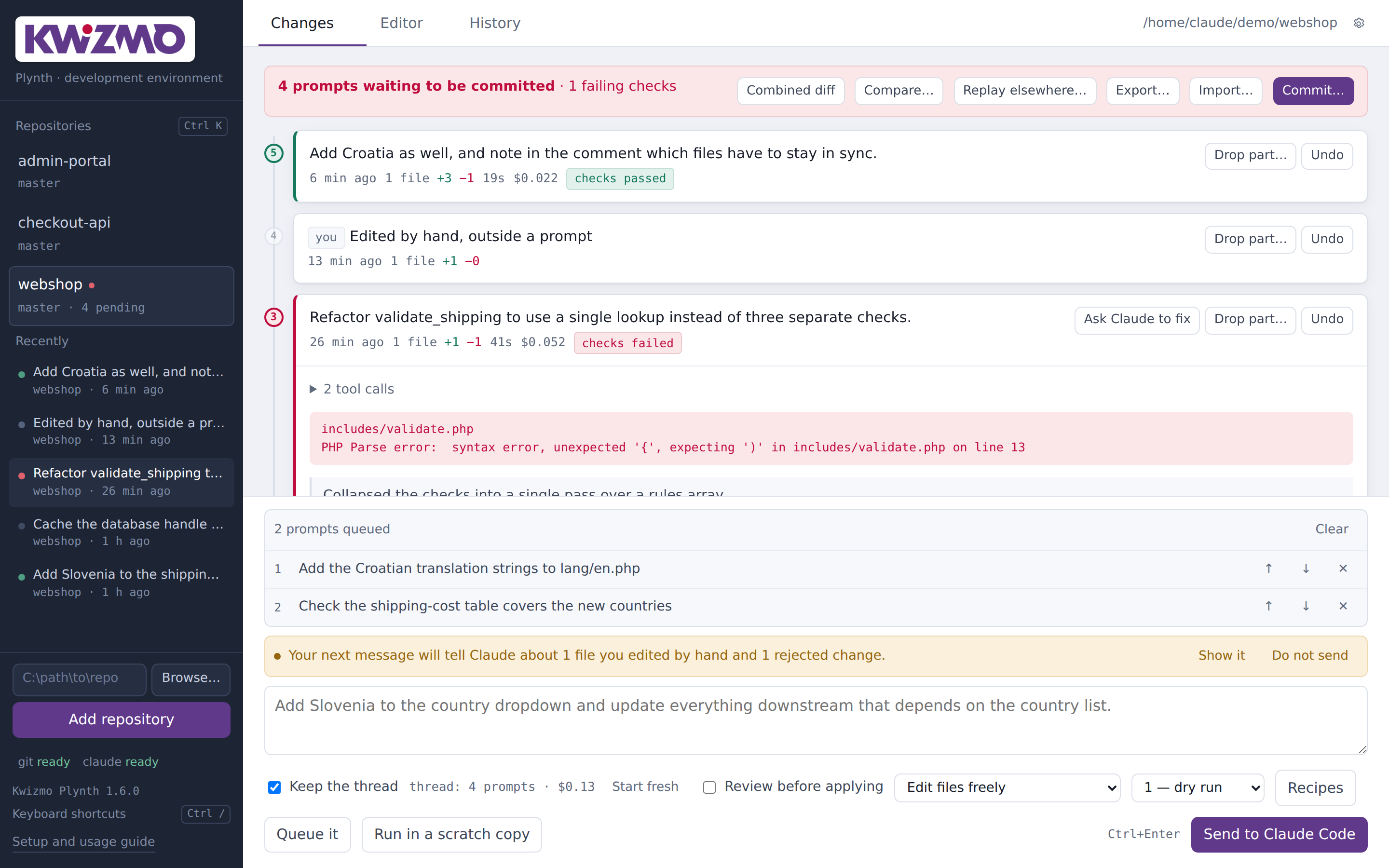
Git tracks commits. Plynth tracks prompts — the things you actually said, the changes each one made, and…
Git tracks commits. Plynth tracks prompts — the things you actually said, the
changes each one made, and whether they held up. It sits underneath your git
repository without touching it, so twelve prompts can become one clean commit,
and any one of them can be read, checked, split apart or undone on its own.
A plinth is the base a thing stands on: structural, load-bearing, and not the
part you look at.
Coding agents are fast enough that a normal session produces a dozen changes
before you commit anything. By then the working tree is a single undifferentiated
diff. You cannot tell which prompt introduced what, you cannot undo the third one
without unpicking the ninth, and if something broke along the way your only tool
is reading all of it.
Git is little help, because none of it is committed yet. Committing after every
prompt to work around that produces a history nobody wants to read.
Both workarounds throw away the one thing you need: which request produced which
change.
Before and after every prompt, Plynth writes the entire working tree into git's
object database using plumbing commands and a throwaway index:
```
GITINDEXFILE=<tmp> git read-tree HEAD
GITINDEXFILE=<tmp> git add -A
GITINDEXFILE=<tmp> git write-tree -> tree
git commit-tree <tree> -p <previous> -> commit
git update-ref refs/kwizmo/snapshots <commit>
```
Those are real commits on a private ref. One decision, and the rest follows:
| Because the snapshots are git objects | You get |
|---|---|
git diff before after | the exact diff for one prompt |
git blame against the shadow ref | blame that names the prompt, not the commit |
| the commits already exist to search | bisect across prompts |
git apply --cached into a scratch index | commit some prompts and not others |
| the ref keeps everything reachable | nothing is ever garbage collected |
Meanwhile git status, git log, your branch and your staging area are never
touched. Remove Plynth and your repository is exactly as you left it.
Every prompt is a numbered node, coloured by what happened: checks passed, checks
failed, touched a protected path, undone, committed. Open one for the model's
summary, its tool calls as they happened, the check output, the file list and a
line-numbered diff of what that prompt alone changed.
The default is a dry run: the prompt executes in a throwaway copy of the
repository and you see the diff and the check result before a single file
changes. Keep it or throw it away. It costs the same as sending directly.
A prompt is often four-fifths right. Review before applying splits the result
into individual hunks and applies only the ones you approve. Drop part… does
the same in reverse for a prompt that already landed — pull out one change and
everything else, including work from other prompts, stays exactly where it is.
A per-file command (php -l {file}, node --check {file}, `python -m
py_compile {file}`) and a project test command, configurable per repository with
presets for PHP, Python, JavaScript, TypeScript, C/C++, Java, C#, Go and Rust.
A failing prompt goes red on the timeline, and Ask Claude to fix loads the
checker's own output into the next prompt.
Something worked ten prompts ago and does not now. Plynth checks out each
snapshot into a scratch worktree, runs your checks, and halves the range — twelve
prompts resolved in about four checks, without touching your working tree.
Pick a file and see which prompt wrote each line, including work you have not
committed. Ordinary git blame cannot answer this, because the commits do not
exist yet. Three weeks later, "why does this function exist" has an answer.
Untick prompts in the commit dialog and Plynth rebuilds the commit from the ones
you keep; the rest stay as uncommitted changes. The schema migration does not
have to ride along with the UI change. Commit messages are written from your
prompts — you described the change before making it, and that beats anything
reconstructed from a diff.
Pick some prompts, pick another repository, name a branch. Plynth re-runs them
there. It re-runs rather than copying the diff, because a patch is welded to the
tree it came from while a prompt is not: *"add Slovenia and update everything
downstream that depends on the country list"* is correct in five codebases that
share no lines of code.
Run the same prompt two to four ways at once, each in its own scratch copy with a
fresh session, and compare side by side. For changes with several defensible
shapes — a lookup table, a class, or a config file — where you cannot tell which
you want until you see them.
Anything you change by hand — in Plynth's editor or your own — is recorded as
your work rather than swept into the next prompt's diff. More importantly it is
described to Claude before your next request: the file, the lines you added, and
an instruction that what is on disk is correct, that anything it remembers
writing there is out of date, and that it must not restore an earlier version or
rewrite the file wholesale.
Without this the agent works from what it believes it wrote, and quietly
overwrites you.
Drop a hunk and Plynth asks why. The reason travels with the next prompt, so the
model works within it instead of repeating the mistake — and one tick promotes it
to a standing rule in CLAUDE.md, where it constrains every future prompt.
Added lines are scanned for private keys, cloud credentials, tokens and database
URLs with passwords. Findings are named and masked, before the commit rather than
after the push.
Find any prompt by wording or by which file it touched, across one repository or
all of them, committed or not. Plus what you have spent, how long you have
waited, and which files the agent keeps returning to.
File list, syntax highlighting for 62 file extensions, Ctrl+S. It is not
competing with your IDE. It exists so that a two-line fix is something Plynth
knows about the moment it happens.
| Windows, macOS, Linux | a local web app; opens in your browser at 127.0.0.1:8765 |
| Python 3.8+ | standard library only — no pip, no npm, no build step |
| git | the program. Your folders do not have to be repositories |
| Claude Code | Plynth drives it; your login stays with Claude Code |
Folders that are not git repositories are tracked anyway. Plynth keeps the
history in its own data folder and points it at yours — no .git, no config, no
marker file. A folder that had no version control effectively gains one without
being converted.
When PATH cannot be changed — locked-down machines, service accounts,
portable installs — the paths to git and claude can be set in the interface
or through environment variables. python kwizmo.py --check reports where each
was found and what version answered.
Nothing leaves your machine. Plynth binds to the loopback address only,
stores no credentials, and has no telemetry. Its database holds prompts,
snapshot hashes and settings; you could email it without leaking anything.
- Not an editor, a file browser, a terminal or a merge tool. You have those.
- Not a wrapper that hides Claude Code. It drives the real thing, streams its
tool calls as they happen, and gets out of the way.
- Not a git replacement. Your history, branches and workflow are untouched.
- Not a hosted service. There is no account and no server.
About 5,300 lines of application: ten Python modules and a five-file interface,
no dependencies in either, plus 1,700 lines of tests. The 175 tests run in
roughly two seconds — every one against a real git repository in a temporary
directory, because the whole tool is a thin layer over git plumbing and a mocked
git would only prove the mock does as it was told.
The tests concentrate where a silent break would cost real work: that snapshots
never touch HEAD, your branch or your index; that undo restores binary files byte
for byte and refuses cleanly when it cannot; that rejecting one hunk from the
middle leaves its neighbours alone; that a selective commit leaves the rest
uncommitted; and that the run lock cannot be freed by a late release from a job
that already finished.
1. Unzip anywhere and run Kwizmo.bat, or python kwizmo.py.
2. Press Browse… and pick a folder.
3. Open Settings, choose your language preset, list any protected paths.
4. Send one small prompt as a dry run, then undo it — so you have seen the
safety net work before you rely on it.
5. Write a CLAUDE.md in the repository. It does more for output quality than
anything in the app.
Then run it against real work for a week. That will teach you more about what it
needs than any feature list.
This product can be licensed and rebranded under your own name.
Ask about white-label licensing →Create a repository from the rail: folder, git repo, first commit, optionalCLAUDE.md. Add files by hand from the editor. Claude Code's own new files land
on the timeline as additions, reviewable and undoable like any change.
- Daily spend ceiling per repository, checked before every queued prompt.
- Word-level diffs mark the characters that actually changed — a missing
bracket no longer hides inside two fully-coloured lines.
- Open in editor from any file. VS Code, Sublime, JetBrains, or your own
command.
The launchers find Python themselves: environment variable, path file, the py
launcher, PATH, then the usual folders. A first run says what is missing instead
of leaving a small red word in the corner. git, claude and python are all
configurable where PATH cannot be changed.
- Compare any two points — what did this whole feature change?
- Undo one file out of a prompt, leaving the rest.
- Queue prompts and walk away; they run one at a time, in order.
- Export a sequence as a file and run it in another repository.
Notifications when a long prompt finishes. Committed prompts fold away. A branch
switch is marked as a new section rather than mistaken for an enormous hand
edit. Undone prompts can be put back. The composer shows how heavy the thread
has become, because long threads cost more and answer worse.
Three tabs instead of seven. The composer sits on every tab and collapses to one
line in the editor — read a file, press Ctrl+Enter, and its path is already in
the prompt. The rail shows what is running and the last prompts across every
repository. Ctrl+K for repositories, Ctrl+1–6 for views, Ctrl+/ for the rest.
Kwizmo QR Generator Create beautiful, branded QR codes — in seconds. The Kwizmo QR Generator lets anyone…
The Kwizmo QR Generator lets anyone create professional QR codes without design skills or technical knowledge. Choose what you want to share, make it look the way you want, and download a file that's ready for print or screen — all in one place.
Point your QR code at almost anything:
- Website or link — send people straight to a URL
- Contact card — share your name, phone, email and address in one scan
- Wi-Fi credentials — let guests join your network without typing a password
- Calendar event — add a meeting or event directly to someone's phone
- SMS message — open a pre-written text, ready to send
- Email — launch a draft with subject and body already filled in
- Phone call — dial a number with one tap
Every QR code can be customised to match your brand or style:
- Your colours — choose any dark and light colour combination
- Round or square modules — sleek rounded dots or classic sharp squares
- Your logo in the centre — upload a PNG, JPG or WebP logo and it appears right in the middle of the code
- Three output sizes — 500 px for web, 1000 px for standard use, 2000 px for large-format print
| Format | Best for |
|---|---|
| PNG | Websites, social media, presentations |
| SVG | Scalable web graphics, no quality loss at any size |
| Print-ready, A4 page, opens everywhere | |
| EPS | Professional print workflows, design software |
SVG, PDF and EPS exports are fully vector — they stay sharp at any size, from a business card to a billboard.
Open the page, fill in the details, and your QR code is ready in moments. No sign-up, no subscriptions, no design software required.
kwizmo.eu